Encord Product Updates: October 2026

This month, we shipped updates that make it faster and easier to turn raw data into training-ready data for your AI models. Here's what's new:
- Native support for more robotics and sensor data: label MCAP recordings (beta) and time series without converting them first
- Selective classes for workflow stages (beta): fewer classes per stage, higher-quality labels
- Medical imaging (DICOM and NIfTI): read, find and label scans faster
Turn sensor recordings into training data, faster
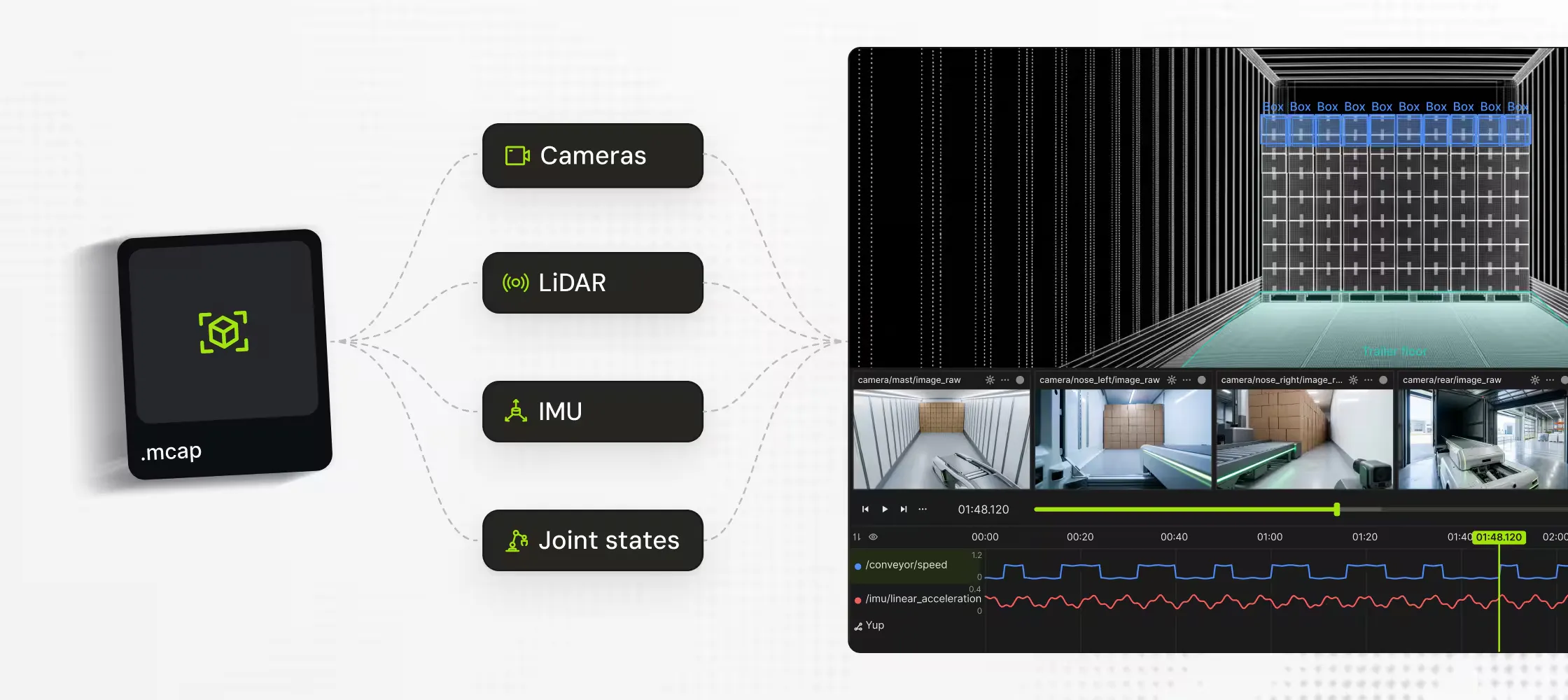
Label MCAP recordings directly in Encord
Robot sensors log at different rates, and frame-based labeling forces them onto one grid, which requires discretization and makes labels drift from the data. Now you can add MCAP files to Encord exactly as they were captured, by direct upload or from your cloud storage.
- Work in the format you record in. No extraction pipeline to build, or to rewrite every time your sensors change.
- Label with full context. See your key sensor streams on one continuous timeline, even when they start at different times or run at different rates.
- Export labels on accurate timestamps. Labels are tied to the recording's own timestamps, so there are no offsets to fix before labeled data goes into training.
MCAP support is in beta and switched on per workspace, so ask your account team to join. Read our MCAP announcement for the full story, or the docs for setup and file requirements.
Label what your sensors picked up, not just what the cameras saw
Some of the moments that matter most in a recording only show up in the signals: a spike in joint torque when a grasp fails, or a stretch of hard braking on a velocity trace. You can upload time series data to Encord to label those moments as time ranges, next to the camera and LiDAR data that shows what was happening at the time. Read the docs for more detail.
Want to use time series data in your workspace? Your account team can help you get set up.
Fewer classes per stage, higher-quality labels
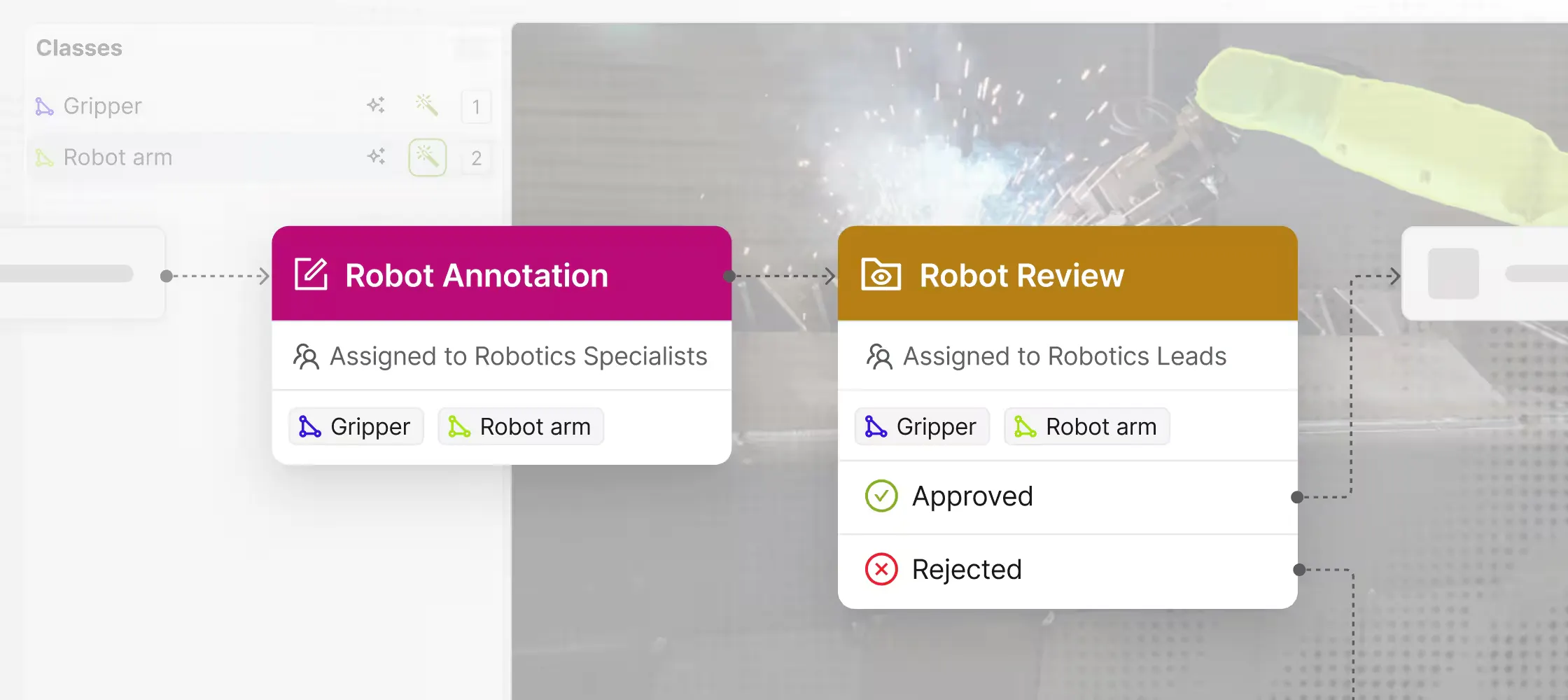
If you’re working on projects with long ontologies or workflows that need specialist passes, you can now get higher-quality labels, faster, by choosing which classes each annotation and review stage can edit or only view.
- Keep every stage focused. Annotators only see what their stage is responsible for. No scrolling through a long ontology or picking the wrong class.
- Put specialists where they’re needed. Let expert annotators and reviewers work only on the classes relevant to them. No combing through whole tasks to check a handful of labels.
- Lock earlier labels. Later stages can’t change labels for classes outside their scope, so work that’s already done stays done.
This feature is in beta and rolling out gradually to all teams. If you need it for your projects sooner, talk to your account team for access. Head to the docs for more detail.
Find, read and label medical scans faster
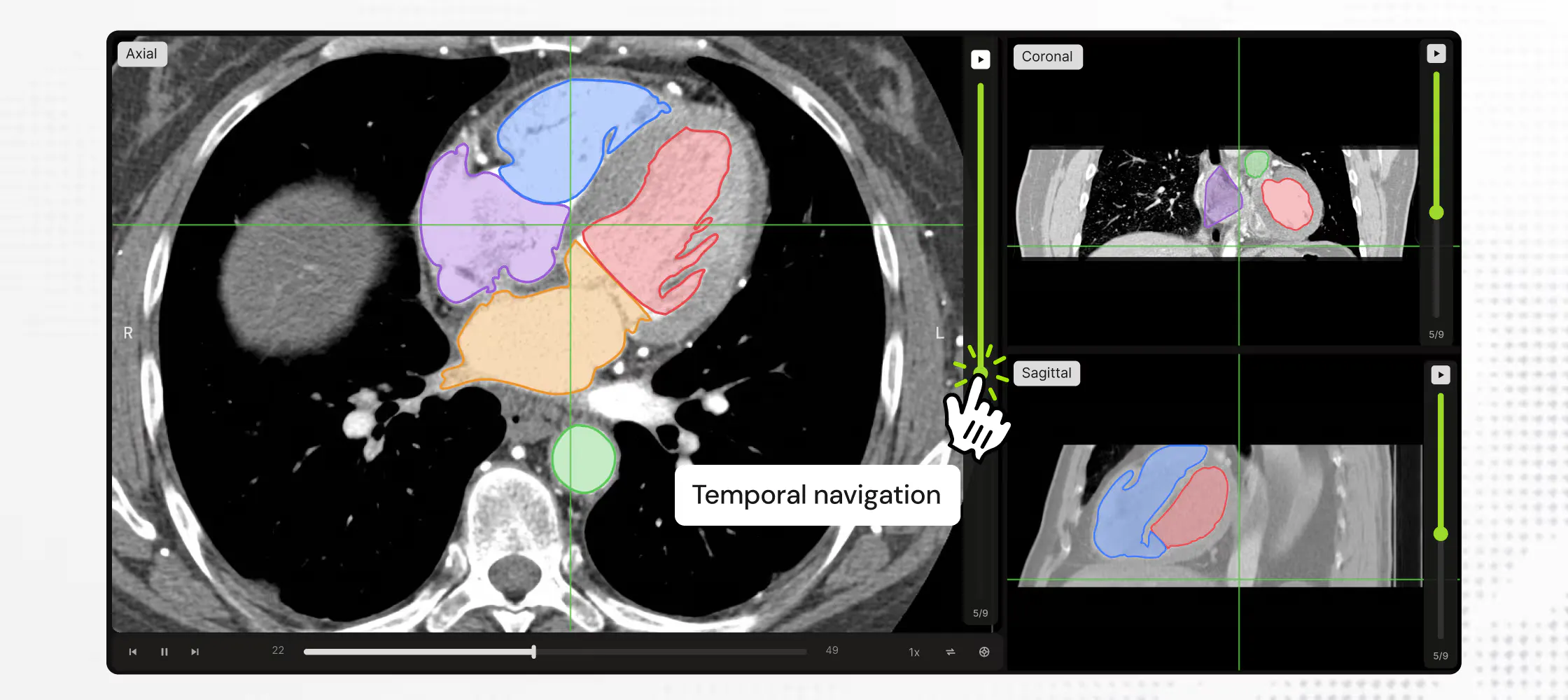
We’ve upgraded DICOM and NIfTI labeling in Projects, so radiologists can now:
- View scans in oblique planes with temporal navigation, and label 4D NIfTI scans across all axes
- Read tissue density at a glance with intensity projections (MIP, MinIP and AIP), and check HU and density values for any region they select
- Annotate across MPR views more smoothly, with mouse-friendly controls and faster image rendering
This is in beta and available on request, so reach out to your account team to get it enabled.
We’ve also made it faster to find scans and move between them:
- Curate scans by metadata and your own embeddings. If you’re on Curation or the full platform, you can now filter DICOM and NIfTI data in Explore by metadata, bring your own embeddings to search and filter, and preview real image frames as thumbnails.
- Reduce average time to annotate large DICOM or NIfTI files. Turn on “Preload Next Task” in Project settings to download the next task in the queue in the background, so radiologists don’t wait for files to load between tasks. Read the docs.
- Keep NIfTI data in sync with your cloud storage. Cloud-synced folders now support NIfTI files, so you can automatically import new data into annotation projects.
Also shipped this month
- Faster labeling when working with polygons. You can now split a polygon with disconnected parts into separate objects (right-click > Split polygon, or Shift+P), and snap vertices onto neighboring polygons so shared edges line up exactly. Turn snapping on in Settings > Drawing.
- Track cuboids across frames in fewer clicks. Interpolating cuboids in 3D scenes no longer depends on hidden hotkeys or right-click menus, cutting time on one of the most repeated tasks in LiDAR labeling. Turn on Auto-interpolate to use it. Read the docs.
- Work through issues faster when reviewing labels. Tasks with lots of issues used to be hard to scan. The issue pane now has a cleaner layout, threads open only when you select the issue or its object, and new filters only show issues for the selected object, or only rejections.
- Custom Agents no longer need to poll for work. Starting with encord-agents SDK v0.2.10, Encord sends your Custom Agents a signed notification when tasks are ready. Read the docs.