Bounding Box vs. Polygon vs. Segmentation vs. Keypoint: Which Annotation Type Fits Your Task?

Technical Writer at Encord
TL;DR: Bounding boxes are fastest and best for object detection where approximate location is enough. Polygons trace irregular boundaries and feed instance segmentation. Segmentation masks label every pixel and are the standard for medical, aerial, and safety-critical boundary work. Keypoints mark structural landmarks for pose, gesture, and skeleton-based tasks. The right choice comes down to what your model actually needs to learn, location, shape, pixel coverage, or structure, not which annotation type is "best" in the abstract.
Every computer vision project eventually hits the same fork: you know you need labeled data, but you don't yet know which shape of label to use. Pick wrong, and you either overspend on precision your model doesn't need, or underspend and cap your model's accuracy before training even starts.
 💡For a deeper understanding of definitions for each annotation type, see our Complete Guide to Image Annotation.
 In this article, we're answering one question: given your task, which annotation type is the right fit?
The four types of Image Annotation at a glance
| Annotation type | What it captures | Fastest for | Best suited to |
| Bounding box | A rectangle around an object | Labeling speed, large-scale datasets | Object detection, tracking, counting |
| Polygon | A closed outline following an object's true edges | Irregular shapes, tight boundaries | Instance segmentation, complex silhouettes |
| Segmentation (mask) | Every pixel classified by category or instance | Pixel-level precision | Medical imaging, aerial mapping, safety boundaries |
| Keypoint | Discrete landmark points on an object | Structural detail, not shape | Pose estimation, facial landmarks, gesture recognition |
The question isn't "which annotation type is most accurate", it's "what does my model architecture actually need to learn." A YOLO object detector gains nothing from pixel-perfect masks. A pose estimation model gains nothing from a bounding box. Over-annotating wastes budget; under-annotating caps model performance. Both are avoidable once you match the type to the task.
1. Bounding box: when speed beats precision
Bounding boxes are rectangles drawn around an object, defined by two corner coordinates. They're the fastest annotation type to produce and the most computationally efficient to train against, which is why they remain the default for most object detection pipelines.
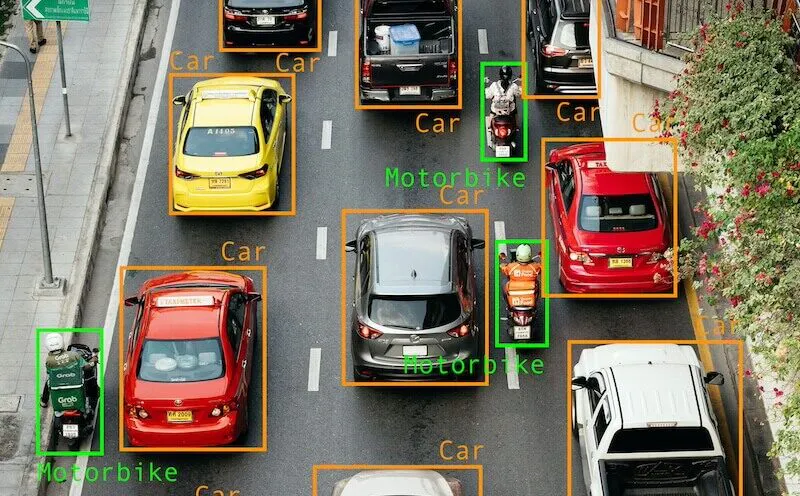
Use a bounding box when:
- Your task is object detection or tracking, not shape understanding
- Objects are roughly rectangular, non-overlapping, or occlusion is manageable
- You're labeling at scale and speed/cost matter more than boundary precision
- Downstream architecture expects box coordinates (YOLO, SSD, Faster R-CNN)
Avoid a bounding box when:
- Objects are irregular, elongated, or curved (a snake, a road, a tumour), the box will include large amounts of background
- Objects overlap heavily, since boxes handle occlusion poorly compared to instance masks
- Your downstream task needs an exact silhouette, not just location
Best Use cases:
- Autonomous Vehicles & ADAS: Detecting and localizing peestrians, cyclists, and other vehicles in real time. Traffic sign and traffic light detection for perception stacks.
- Retail & Warehouse/Logistics: Shelf and stock monitoring to track product availability and footfall and Package and parcel detection for sorting and inventory counts
- Security & Surveillance: Detecting people and vehicles across CCTV feeds at scale
Bounding boxes are commonly used for vehicle and pedestrian detection, retail shelf monitoring, and PPE compliance checks, anywhere approximate localization is the actual requirement, not exact shape.
2. Polygon: when shape matters more than speed
Polygon annotation traces an object's boundary using a series of connected vertices, producing a closed shape that follows the object's true contour rather than a bounding rectangle.
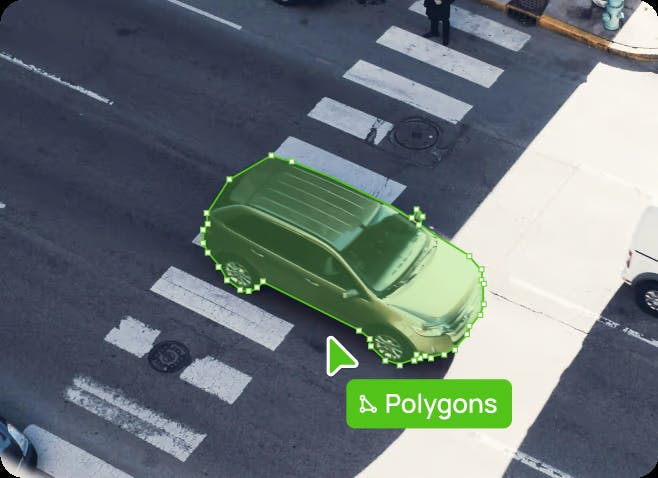
Use a polygon when:
- The object has an irregular or non-rectangular outline (rooftops, organs, vegetation, damaged vehicle panels)
- You need instance-level precision: each object gets its own outline, which handles overlapping objects far better than boxes
- You're generating training data for instance segmentation models (Mask R-CNN, YOLO-seg)
Avoid a polygon when:
- Speed and volume matter more than shape precision: Polygons take substantially longer to draw than boxes, especially on complex or high-object-density images
- The object doesn't have a meaningful closed boundary (a road, a wire, a path): that's a polyline task, not a polygon task
Best use cases
- Surgical Robotics & Medical Imaging: Tracing irregular tumor or lesion boundaries in MRI and CT scans, where a bounding box would include too much healthy tissue
- Drones & Smart Cities: Mapping building footprints, land parcels, and vegetation boundaries in aerial and satellite imagery
- Agriculture: Tracing crop rows and disease-affected regions on leaves for precision farming
Polygons sit in the middle of the precision/speed spectrum: more informative than boxes, faster to produce than full pixel masks, which is why they're the default for teams that need silhouette accuracy without committing to per-pixel labeling.
Segmentation: when you need pixel-level truth
Segmentation labels every pixel in an image, either by class (semantic segmentation), by individual object instance (instance segmentation), or both simultaneously (panoptic segmentation). It's the most precise, and most expensive annotation type on this list.
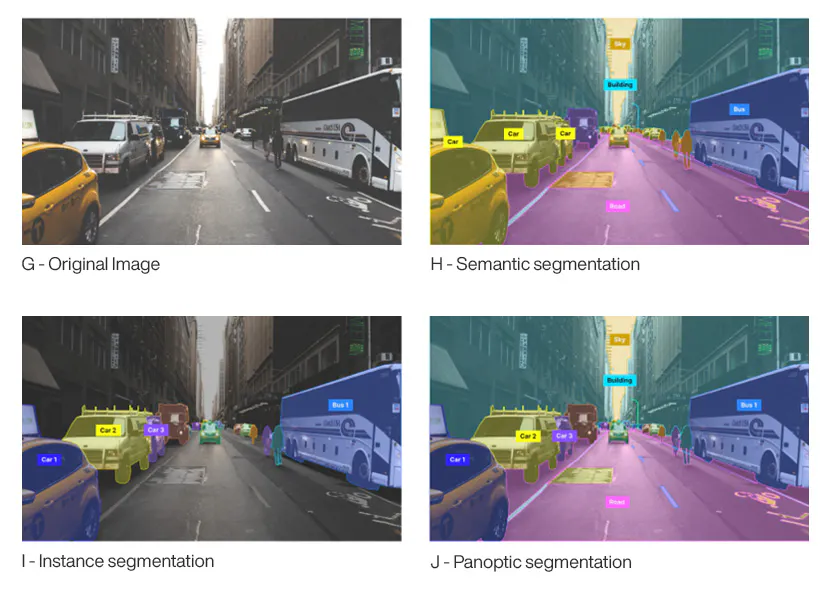
Use segmentation when:
- Boundary precision has real consequences: medical diagnosis, surgical planning, defect measurement, path planning for robotics
- You need to separate touching or heavily overlapping objects cleanly (instance segmentation)
- You're building models that need full scene understanding, not just object presence (panoptic segmentation for autonomous driving, aerial mapping)
Which segmentation sub-type:
- Semantic segmentation: every pixel gets a class label, but instances aren't distinguished (all cars are just "car"). Use for land-use mapping, background/foreground separation, and tasks where counting individual instances doesn't matter.
- Instance segmentation: every object instance gets its own mask. Use when you need to count, track, or individually measure objects (tumor growth tracking, crowd counting, warehouse item picking).
- Panoptic segmentation: combines both: every pixel gets a class and, where relevant, an instance ID. Use for full-scene understanding tasks like autonomous driving and smart-city video intelligence, where you need both "what is this" and "which one is this."
Avoid segmentation when:
- Your task only needs approximate location (use a box) or a clean outline without pixel-level guarantees (use a polygon). Segmentation is 10–15x slower to annotate than a bounding box and that cost only pays off when your model actually consumes pixel-level ground truth
Best Use Cases
- Surgical Robotics & Medical Imaging: Instance segmentation for surgical planning, giving surgeons a pixel-accurate map of a tumor's boundaries
- Autonomous Vehicles & ADAS: Panoptic segmentation for full-scene understanding, classifying drivable area (semantic) while separately tracking every vehicle and pedestrian (instance) in the same frame
- Humanoids/VLA & Warehouse Robotics: Instance segmentation for bin-picking, giving a robotic arm exact object boundaries to grasp cleanly in cluttered, overlapping scenes
- Smart Cities: Crowd density estimation and individual tracking in dense, overlapping video footage
Keypoint: when structure is the target, not shape
Keypoint annotation marks discrete landmark points on an object, joints, facial features, corners, rather than an outline or region. The geometry connecting the points (a skeleton) often matters more than the object's overall silhouette.
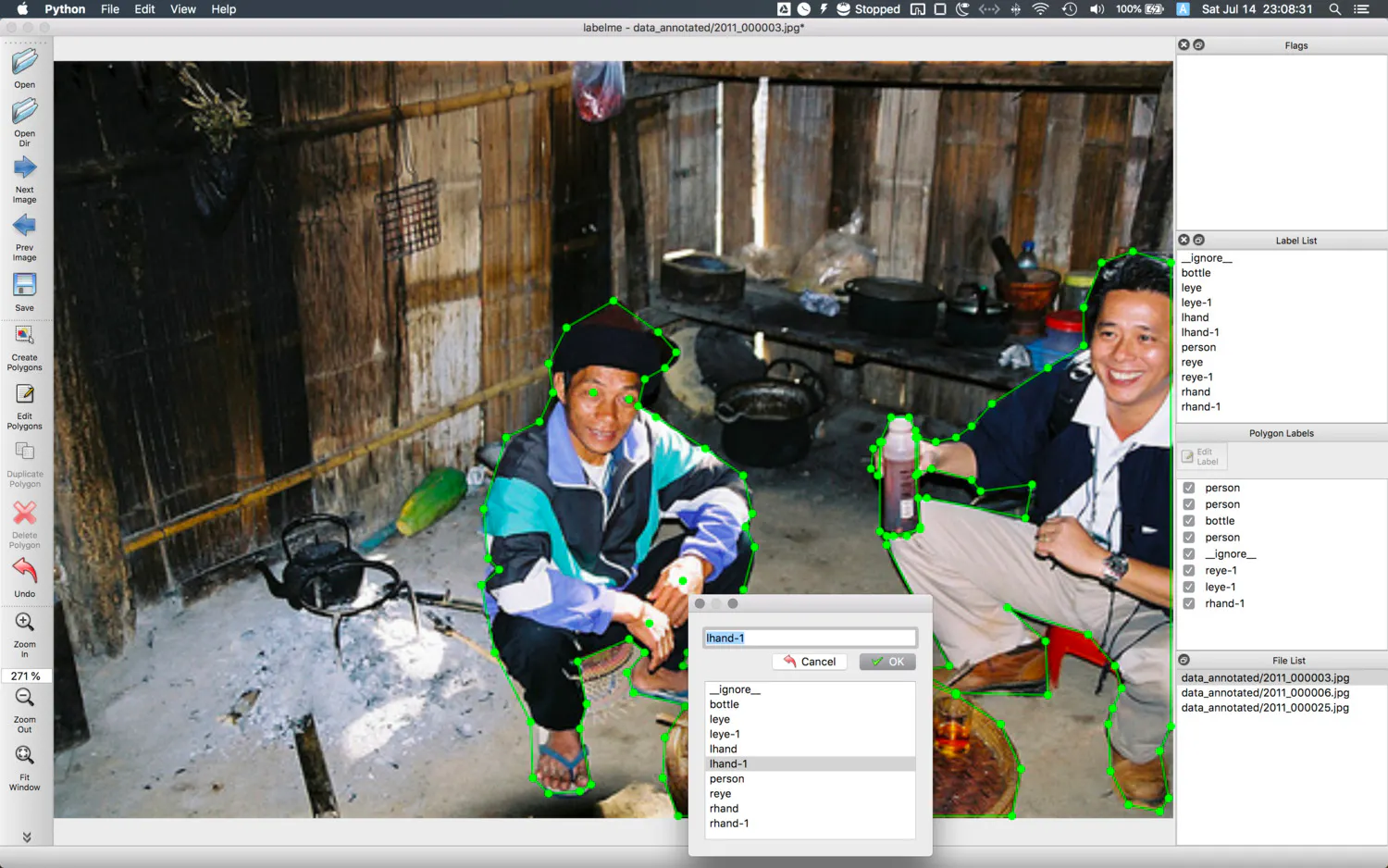
Use keypoints when:
- The task is pose estimation, gesture recognition, or gait analysis
- You need to track structural landmarks that persist across deformation (a joint stays a joint whether a person is standing or crouching; a polygon outline does not transfer the same way)
- Facial recognition or biometric tasks where specific anchor points (eyes, nose, mouth corners) are what the model keys off, not the whole face outline
Avoid keypoints when:
- Your model needs to know an object's full shape or extent, not just a handful of structural points, keypoints alone don't tell you where an object's edges are
- The object has no meaningful "joints" or landmarks to mark
Best Use Cases:
- Smart Cities & Sports Analytics: Tracking player or pedestrian pose and movement across footage for technique, performance, or behavior analysis
- Security & ID Verification: Facial keypoints (eyes, nose bridge, mouth corners) as anchor points for facial recognition and identity verification
- Humanoids/VLA: Skeleton and joint tracking for pose estimation, feeding models that need structural landmarks rather than full-body outlines
Keypoints are frequently combined with a bounding box (localize the person, then place keypoints within that region) rather than used in isolation.
Matching the correct annotation type to a computer vision task
{{table(table2)}}
Combining annotation types in a single project
These types aren't mutually exclusive, and most production pipelines mix them:
- Box + keypoint: detect the person with a box, then place pose keypoints inside it, common in sports analytics and surveillance
- Polygon-derived box: many teams annotate with polygons and auto-derive a bounding box from the polygon's extent for tasks that need both shape and coarse location
- Segmentation + attributes: a mask defines the object; attributes/tags layer on metadata (species, damage severity, occlusion state) without needing a separate annotation type
If your annotation tool forces you to pick one type per project rather than mixing them per object or per class, that's a workflow limitation worth flagging before you scale
Common mistakes teams make when choosing an annotation type
- Defaulting to polygons "to be safe." More precision isn't free, it's slower and more expensive to produce and QA. Match precision to what the model consumes, not to what feels the most thorough.
- Using bounding boxes for pose or landmark tasks. A box tells a model where a person is, not what pose they're in. If the downstream task is structural, boxes alone will cap accuracy no matter how much data you throw at it.
- Skipping instance segmentation in dense, overlapping scenes. Bounding boxes handle occlusion by leaning on non-maximum suppression during inference, which is fragile in crowded scenes. If your data is dense (crowds, produce on a conveyor, cells under a microscope), instance-level masks avoid this failure mode entirely.
- Treating segmentation as one type. Semantic, instance, and panoptic segmentation solve different problems. Picking the wrong sub-type means re-annotating later once the model's actual requirement becomes clear
⚙️ Choosing the right annotation type is only half the battle, you also need a platform that supports all of them in a single ontology without forcing project switches or format conversion.
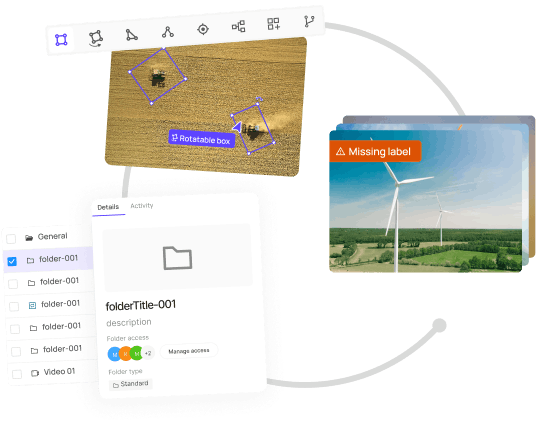
See How Encord handles bounding boxes, polygons, segmentation, and keypoints in one workflow
Frequently asked questions
Some conversions are straightforward, a polygon's bounding rectangle can be auto-derived as a box, but you can't generate a polygon or mask from a box after the fact without re-annotating, since the original shape information was never captured. Decide the annotation type based on the most demanding downstream task before labeling starts.
Bounding boxes, by a wide margin. Polygons typically take several times longer per object than boxes; full segmentation masks take substantially longer again. Keypoint cost depends on how many landmarks are required per object.
No! Most mature pipelines mix types by object class or by task within the same dataset (see the combination section above). The constraint is usually the annotation tool, not the task.
A polygon is a vector outline (a series of connected points); a segmentation mask is a pixel-level classification of the entire image. Polygons are faster to produce and are often used to generate masks programmatically, but a mask gives you per-pixel ground truth that a polygon approximates.